Agatha Andrews, an Admin in Philadelphia identified a problem with targeting by zip code. She was surprised when emails and reports that once targeted hundreds of subscribers only yielded twenty. Something had changed.
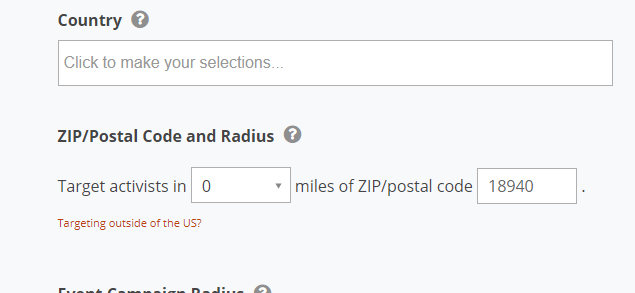
Here’s what I found out. The targeting option for zip code radius is a small circular map area within a zip code that may not include all of the zip code and also may include other adjacent zip codes.
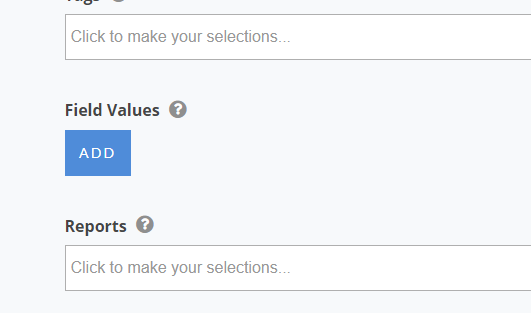
To accurately include (or exclude) one or more zip codes in your targeting area, you must use the “field value” option in the targeting menu. You would add each zip code as a targeted value, one at a time.
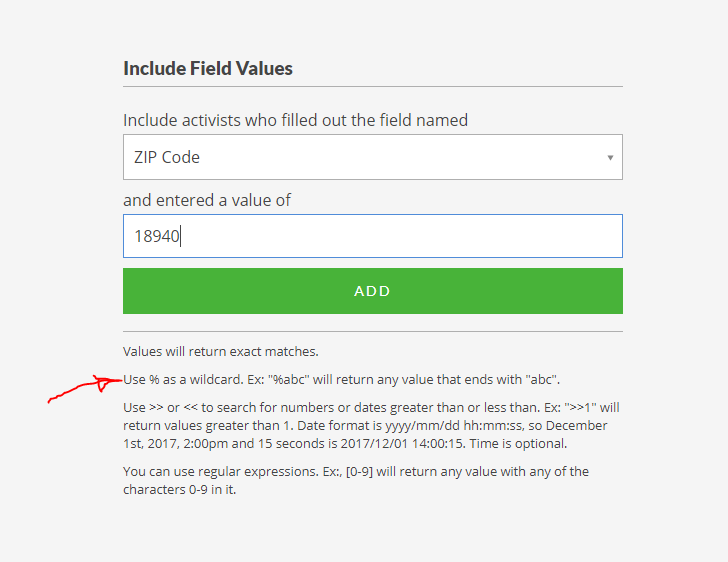
Since not all zip codes are entered as just five digits, you should also include the “%”
Repeat the field addition step in the targeting process as often as necessary to list all the zips you need to target.
The take away here is use the field value when you must strictly limit your target to specific zips. Use the zip radius option when you want a geographic area as you would when inviting people to an event.
In May 2019, we discovered that the “%” wildcard is subtly flawed and misses certain kinds of data anomalies. Check out the article “Not So Wild Wildcard.”