Action Network tools create web pages we call “landing pages” because when someone clicks the link for the action they land on the AN page to do the action as a result of clicking. The landing page may be a petition, an event registration, or a form. It may look like one of our website pages because we’ve added a wrapper that brands it as ours, but the actual page is hosted by Action Network.
In most cases, FDPA includes the landing page link in an email to FDPA subscribers. But we almost always want our subscribers and activists to share the opportunity to take action as widely as possible. It’s important to do this correctly because Action Network always tries to recognize returning subscribers and save them the trouble of filling in their personal name and address once they are registered. Mostly it works well. The purpose of this essay is to describe a potential problem and suggest how to avoid it.
“Welcome back, Mary!“?
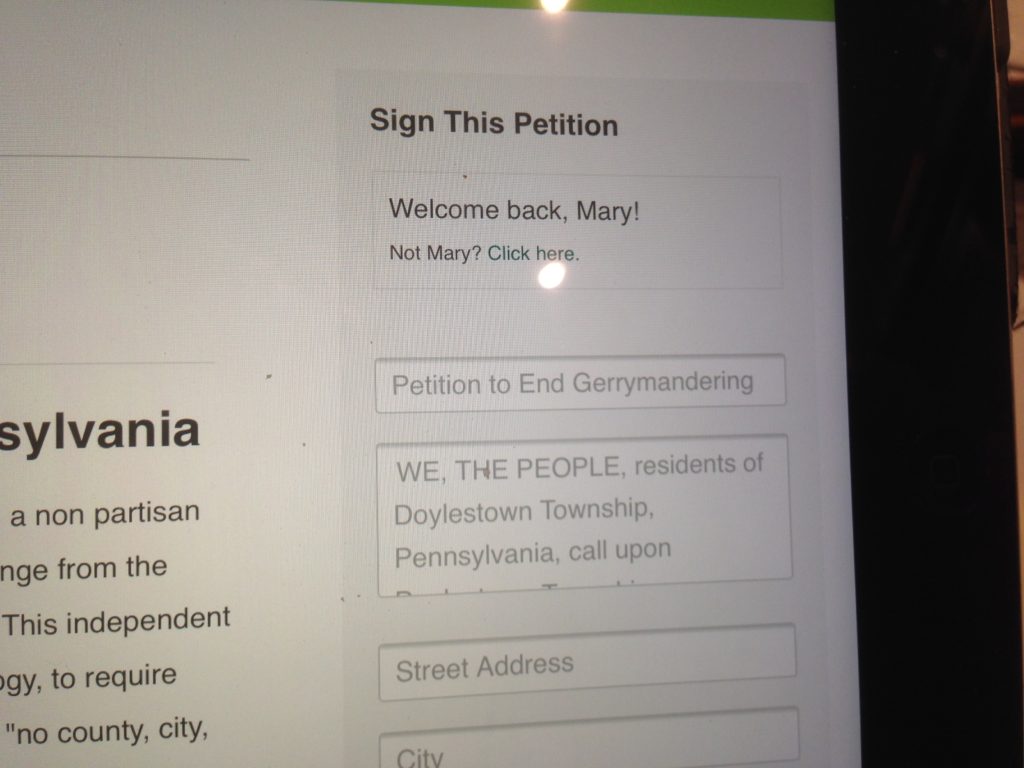
The Screenshot above shows Action Network greeting me as “Mary” on my iPad. Needless to say, my name is Richmond, not “Mary,” yet this is the greeting I saw when I opened the Doylestown Supervisors petition asking for an anti-gerrymandering resolution. Safari, on my iPad, didn’t identify me — so the AN landing page defaulted to “Mary” because the link Mary used when she shared the petition was associated with her. Lacking better information, AN greeted Mary.
The reason for this is complex, but it happened because the link that the LWV used for the petition came from an email that was originally sent to Mary. There is a different URL (web address) that does not cause Action Network to identify the visitor as “Mary” and this link should have been used instead.
No Mary? Click here.
Misidentification is not that uncommon. It can happen for various reasons including being logged in on a browser with someone else’s identity. To cover the error, websites usually add an escape link: “Not Mary …?” If the person does not see that, whatever information they record may overwrite “Mary’s” information.
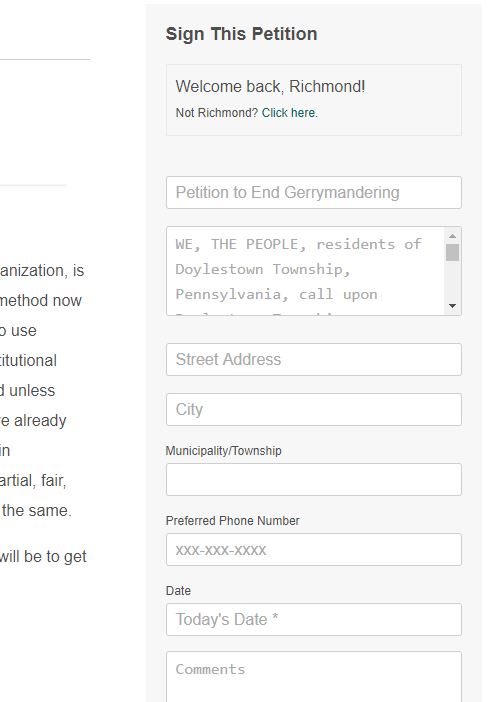
When we create a landing page, Action Network provides a “clean” link that is not associated with the creator personally. (Mary probably got the link from the test email that was sent to her, or perhaps she forwarded the email sent to her to the other organization. Either way, the link was associated with her email address leading to the confusion. Note that in the photo above under “Welcome back Mary” it says in fine print, “Not Mary?, click here.” This link brings up the form that asks for name, email and zip code.
Obviously, we’d prefer to get it right the first time. The way to do this is to use the clean link provided by Action Network, and avoid copying links lifted from personalized emails.
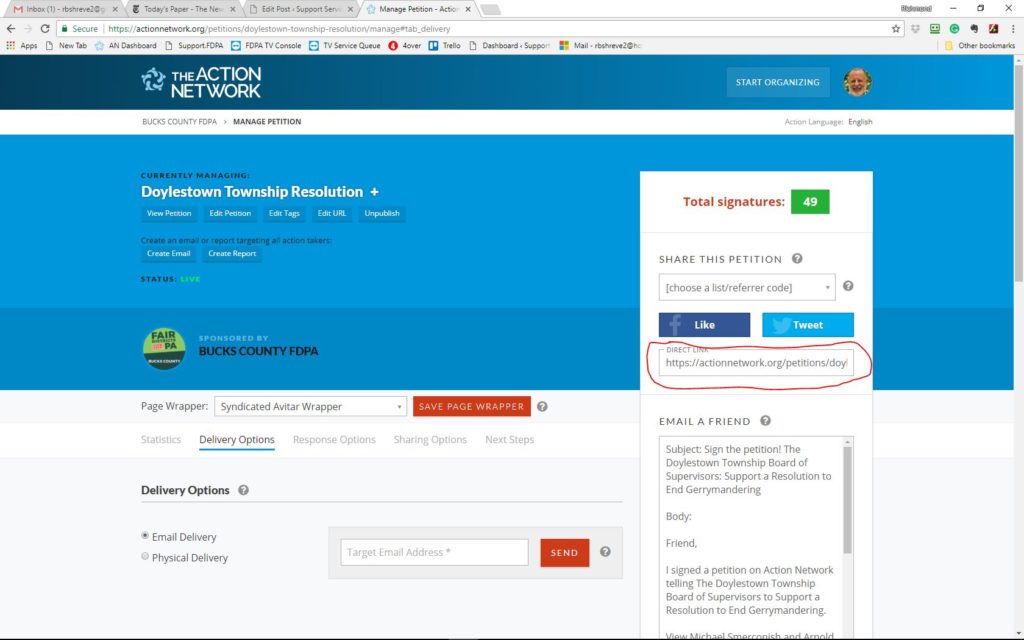
You can select, copy and paste such a link by opening your Action Network dashboard and viewing the landing page “delivery options” tab. Copy the link in the box labeled “Direct Link” and use it in your email. For that matter, the link may be used anywhere – a web page or embedded in HTML code.